Campaigns & automations
WhatsApp broadcasts, with permission. And follow-ups that send themselves.
Send approved templates to the CRM contacts who opted in and see the estimated cost before sending. Then switch on automatic follow-ups: abandoned cart, appointment reminder, replenishment and Google review.
- Consent checked for every recipient
- Cost estimated at Meta's rates before sending
- Follow-ups you test before switching on
- Every recipient is checked before sending. Anyone who didn't opt in is left out.
- Opt-in only
- Estimated at Meta's official rates before the broadcast goes out.
- Cost upfront
- If a contact replies with it, they're removed from your broadcasts automatically.
- STOP or BAJA
Broadcasts
Know what happened to every message
After sending, each recipient shows one state: accepted by WhatsApp, delivered, read, failed or not sent. WhatsApp accepting a message doesn't mean it arrived: delivery and reads are confirmed later, one contact at a time.
- Duplicates removed before sending
- Cancel a broadcast while it's sending
- Replies land in your inbox, where the agent handles them
Automatic follow-ups · Beta
Four follow-ups sent at the right moment
Each follow-up has a narrow trigger, safety controls and a history. You test them before switching them on.
Abandoned cart
Recover the order that was left halfway
If a customer built a cart and didn't confirm, the agent sends them a follow-up. It works on WhatsApp, Instagram and Messenger.
Catalog & orders Whey Blend Chocolate 5 lb
 Appointment reminder
Fewer forgotten appointments
Between 2 and 168 hours before the appointment, 24 by default. If the 24-hour window has closed, it's sent with an approved template, and it's cancelled automatically if the appointment changes.
Appointments & quotesReplenishment
A nudge when the product is about to run out
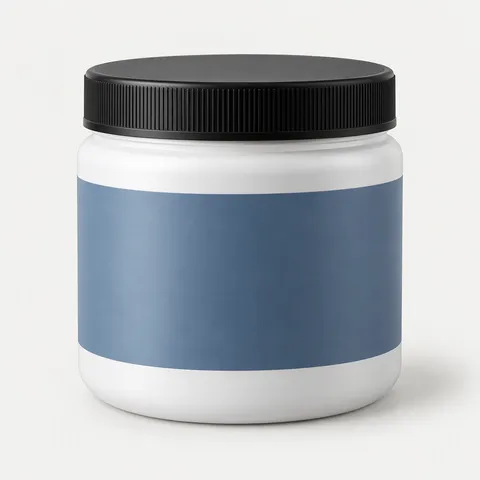
For products people buy again, like a tub of protein, the replenishment reminder messages the customer when it's time to reorder.

Google review
Ask for the review when the customer is happy
After a service or a delivery, the review follow-up invites the customer to rate you on Google with your business's link.
Control
Every follow-up with its status and history
See which are active, paused or in draft, and which need attention. Before switching one on you run a test, and afterwards you review the history of every send.
- Pause or resume each follow-up
- Test before switching on
- Send history per follow-up
Before your first broadcast
Good to know
-
Can I schedule a broadcast for later?
Not today. Broadcasts go out when you send them; you can keep them as drafts meanwhile.
-
Can I pause a broadcast?
You can cancel it while it's sending. There's no pause and resume.
-
Who receives it?
Only CRM contacts with marketing consent, and never anyone who asked to stop.
-
How much does a broadcast cost?
What Meta charges per marketing message in each contact's country. You see it estimated before sending; Interlinked AI adds nothing.
-
How do I record consent?
Each number keeps its consent status, and a guide helps you generate a privacy notice for Mexico.
-
Do broadcasts work on Instagram?
No. Broadcasts are for WhatsApp. The abandoned cart follow-up also works on Instagram and Messenger.
We protect your number
Opt-in messaging, the way WhatsApp requires
WhatsApp restricts businesses that send unwanted messages. That's why every broadcast uses Meta-approved templates, checks each contact's consent and honors opt-outs automatically.
WhatsApp bot- Meta-approved templates in every broadcast
- Consent checked contact by contact
- Automatic opt-out with STOP or BAJA
Also included
- Audiences from your CRM tags and stages
- Templates created and submitted for approval from the panel
- Broadcast replies straight to your inbox
- Consent status per number
- Guided privacy notice generator for Mexico
- Test runs and history for every follow-up
Keep exploring
What connects to your campaigns
Questions about broadcasts and follow-ups
- How do I send bulk WhatsApp messages without getting blocked?
- Use the official API, Meta-approved templates, and only message contacts who opted in. Interlinked AI checks every recipient's consent and honors opt-outs automatically.
- What is a WhatsApp template?
- It's a message Meta approves before you send it. You need one to message a customer outside the 24-hour window and for broadcasts.
- Can I see who read my broadcast?
- Yes. Each recipient shows as accepted by WhatsApp, delivered, read, failed or not sent.
- Which automatic follow-ups are there?
- Abandoned cart, appointment reminder, replenishment reminder and Google Review follow-up. They're in Beta.
- Do follow-ups cost Meta messages?
- Yes, when they're sent with a template outside the 24-hour window, Meta charges its per-message rate. Interlinked AI adds no markup.
- Who answers when a customer replies to a broadcast?
- The reply lands in your inbox like any conversation: the agent handles it and your team can take over whenever they want.
Start today
Get back in touch with your customers, with permission
In a 20-minute call we prepare your first broadcast and an automatic follow-up with you.