Catalog & orders
Your catalog, selling in the chat. From spreadsheet to confirmed order.
Upload your products from Excel, add photos and the agent puts them to work: it finds what the customer asks for, shows it with a photo, builds the cart and confirms the order for store pickup or shipping.
- Import from Excel or CSV and the AI recognizes your columns
- Each photo can show in your store, in the chat or both
- Orders for store pickup or home delivery
 2 × Creatine 300 g
 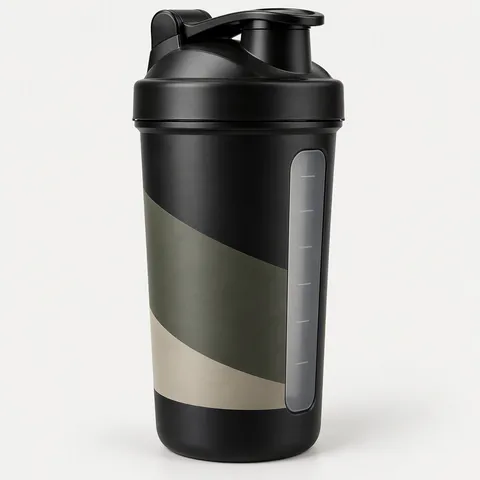 1 × Black Shaker 700 ml
 - Import with AI-recognized columns, error review and the option to undo.
- Excel or CSV
- with photos in each agent reply, linked to your store if you have one.
- 1 to 5 products
- Customers pick a store, or you charge a flat shipping rate with free shipping above an amount you set.
- Pickup or shipping
Catalog
Upload your catalog from Excel, no retyping
The AI reads your file, recognizes which column is the price, the SKU or the stock, and shows you which rows have errors before saving. You can merge it with what you have or replace it, and undo the import if something went wrong.
- Edit like a spreadsheet, with 50 steps of undo
- Each size or color is its own product, with its own SKU
- Import history to review what changed




How it sells from your catalog
Finds, shows, recommends and flags
The agent checks your catalog on every reply, so what it offers always has a real price and real stock.
Finds
Understands what the customer means
It searches by exact name, with typos or by meaning: if someone asks for something to recover after the gym, it finds the products that fit. Out-of-stock products are flagged.
How the AI searches productsBy photo
The customer sends a photo and the agent finds it
With the photo search ability, the agent compares the image with your catalog and shows the closest matches.
Recommends
Suggests what you approve, without forcing it
With the recommendations ability, the AI proposes product pairings and you decide which to use. The agent offers them, but only adds one if the customer taps the button.
Out of stock
If something is out of stock, it tells your store
When a customer asks for a product with no stock, the agent tells them, records the request and emails you so you know what people are asking for.
Photos
Photos ready to send in chat
Upload photos with a list of URLs or a folder named by SKU, and they're matched to each product. For each photo you choose whether it shows in your online store, in the chat or both.
- Bulk photo import by SKU
- Per-photo visibility: store, chat or both
- The agent sends one to five products with photos per message
Orders
Store pickup or shipping, as the customer prefers
For pickup, the customer picks the store. For shipping, they leave their address in the chat. You set a flat shipping rate and the amount above which shipping is free, and every order lands in your panel with its delivery method.
- Clear statuses: confirmed, paid, shipped, cancelled
- You add the tracking number to the order
- Emails for you and your customer
Before you upload your catalog
Good to know
-
Do you support size or color variants?
Each size or color is its own product, with its own SKU, price and stock.
-
Does it connect to Shopify or WooCommerce?
No. Your catalog lives in Interlinked AI and you load it from Excel or CSV.
-
Can the agent track a shipment?
No. You add the tracking details to the order; there's no carrier integration.
-
Can it sell something I no longer have?
No. Stock is checked in your system before the order is built, and out-of-stock products are flagged.
-
What if I make a mistake importing?
Before saving you see the rows with errors, and afterwards you can undo the import from the history.
-
Can I export my orders to a spreadsheet?
Yes. You export your orders to CSV from the panel.
Real prices and stock
The agent sells from your inventory, not from memory
Every price, every stock level and every total comes from your catalog at the moment of the conversation. The order is only created when the customer taps “Confirm order”.
Agent control- Stock is checked before confirming
- The customer confirms with a button, not a “yes” lost in the chat
- You can require your approval before each order is created
Keep exploring
What happens before and after the order
Questions about catalog and orders
- How do I sell on WhatsApp with my catalog?
- Upload your products to Interlinked AI from Excel or CSV with their photos. The agent finds them, shows them with photos on WhatsApp, Instagram or Messenger, builds the cart and confirms the order.
- Can I import my catalog from Excel?
- Yes. The AI recognizes your columns, shows you errors before saving, and you can merge with or replace your current catalog.
- Can a customer order several products at once?
- Yes. The agent adds several products to the cart and shows the total before confirming.
- Can I charge for shipping?
- Yes. You set a flat shipping rate and an amount above which shipping is free.
- Can customers pick up in store?
- Yes. They choose the store in the chat, and you decide whether they pay at pickup, in full upfront or with a deposit.
- Can the agent recommend products?
- Yes, with the recommendations ability: the AI proposes pairings, you approve which to use and the agent only adds what the customer accepts.
Start today
Upload your catalog and start selling from the chat
In a 20-minute call we walk through the import with your own file and show the agent selling your products.